Every clinic has a queue. The question is whether that queue lives in a paper register, in the receptionist's head, or in a system that everyone, including the patient, can see. A clinic queue management system is the software that decides who is next, tells each patient where they stand, and keeps reception, doctors and the waiting room working from the same list.
This guide is written for clinic owners, doctors and OPD managers who are tired of crowded waiting areas and constant "how long will it take?" questions at the desk. You will learn what a queue system actually does, the difference between tokens and slots, which features matter in an Indian OPD, how to roll one out without disrupting a working clinic, and which mistakes to avoid.
What is a clinic queue management system?
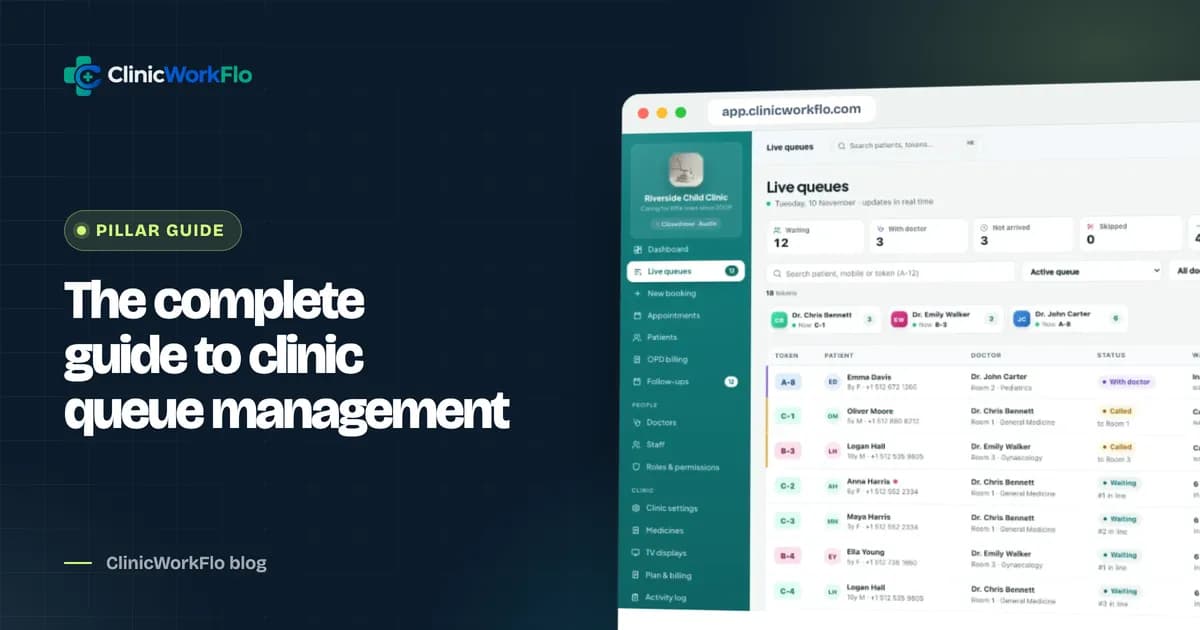
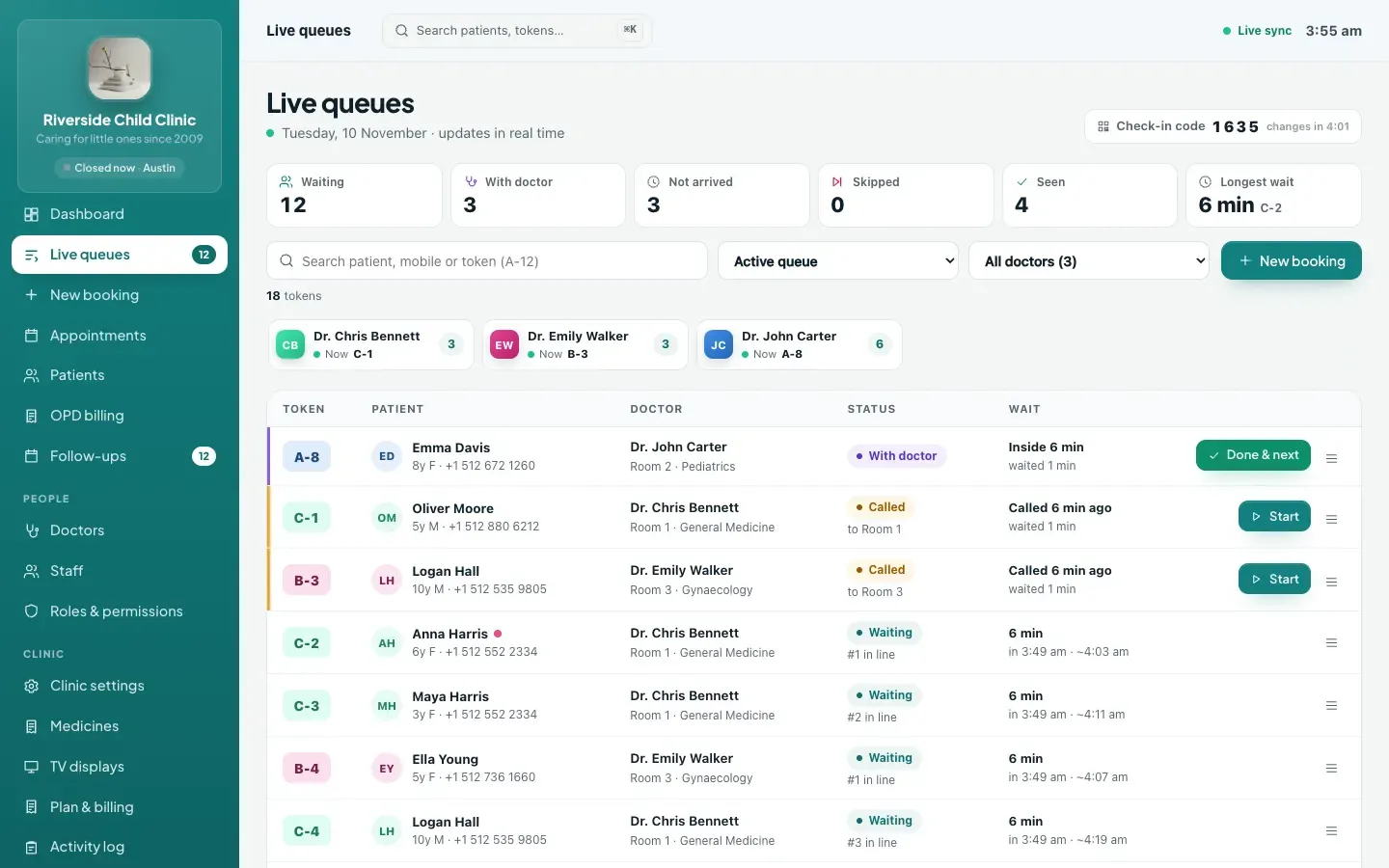
At its simplest, a clinic queue management system replaces the token register and the shouted name with a shared digital queue for each doctor. Every patient, whether they walked in, phoned or booked online, gets a place in that doctor's line. When the doctor is ready, someone presses "Call next" and every screen updates together.
A good system does more than number people. It handles the messy parts of a real OPD day: patients who step out when their number is called, a doctor who takes a ten-minute break, a family of three on one mobile number, and the patient who booked online for 11:00 but arrived at 10:15.
The four parts every queue system needs
- Intake: walk-in tokens at the desk, phone bookings and online bookings, all landing in one list per doctor.
- Queue control: check in, call next, call again, skip, recall, complete, with clear rules about who comes next.
- Visibility: a live view for reception, a console for the doctor, a waiting-room display and a tracking link on the patient's phone.
- Records: what happened to each token, so the clinic can see no-shows, waiting times and how busy each doctor really is.
If a product only does one or two of these, you will end up running a parallel paper process to cover the gaps. If you would like to see all four working together on your own clinic's setup, you can schedule a 30-minute meeting with our team.
Why the paper register stops working
Paper tokens work well for a single doctor on a quiet morning. They start to fail as soon as the clinic grows or the day gets busy. The problems are familiar to anyone who has worked a front desk:
- Patients crowd the desk because they have no other way to know their position.
- Walk-ins and phone bookings are kept in different places, so the order becomes an argument.
- Nobody knows how many people are waiting for which doctor without walking into the waiting room and counting.
- A patient who misses their call either loses their turn completely or jumps the queue, depending on who is at the desk.
- At the end of the month there is no reliable record of no-shows, waiting times or which sessions were overbooked.
None of this is anyone's fault. A register simply cannot be in three places at once. A digital queue can.
Tokens, slots or both: choosing the right model
Most Indian clinics run on tokens: first come, first served, with a number per doctor. Many specialists and some urban practices prefer appointment slots, where the patient picks a time. A modern clinic queue management system should let you choose per doctor, not force one model on the whole clinic.
| Model | How it works | Best for | Watch out for |
|---|---|---|---|
| Token (first come, first served) | Each patient gets the next number for that doctor; order follows arrival or booking | General practice, paediatrics, busy morning OPDs | Patients need a way to see their position, or they will wait at the desk |
| Slot (fixed times) | Patients choose a time; the doctor sees them in time order | Specialists, procedures, consultants with long visits | Walk-ins still arrive; the system must fit them in without breaking the schedule |
| Mixed | Some doctors on tokens, others on slots, in the same clinic | Polyclinics and hospital OPDs | Reception needs one screen that shows both clearly |
We go deeper into this choice in our guide to online appointment booking for clinics, including how walk-ins fit around booked slots.
Features that matter in a clinic queue management system
Feature lists get long quickly. These are the capabilities that make a real difference on a busy OPD day.
One queue per doctor, with fair rules
Each doctor should have their own line, with a token prefix so patients and staff can tell them apart (A-12 for one doctor, B-07 for another). The rules for who comes next should be predictable: checked-in patients in order, a recalled patient at the front, and only one patient inside with a doctor at a time.
Walk-ins and bookings in the same line
The token issued at the desk and the booking made online last night must land in the same sequence. Otherwise reception is constantly merging two lists by hand. Our article on the OPD token system covers how to set this up at the front desk.
Check-in that separates "booked" from "here"
A booked patient is not necessarily in the building. The queue should only call people who have checked in, so the doctor is never waiting on someone still stuck in traffic. Self check-in by QR code takes this load off the desk; see our guide to patient self check-in.
Live position for the patient
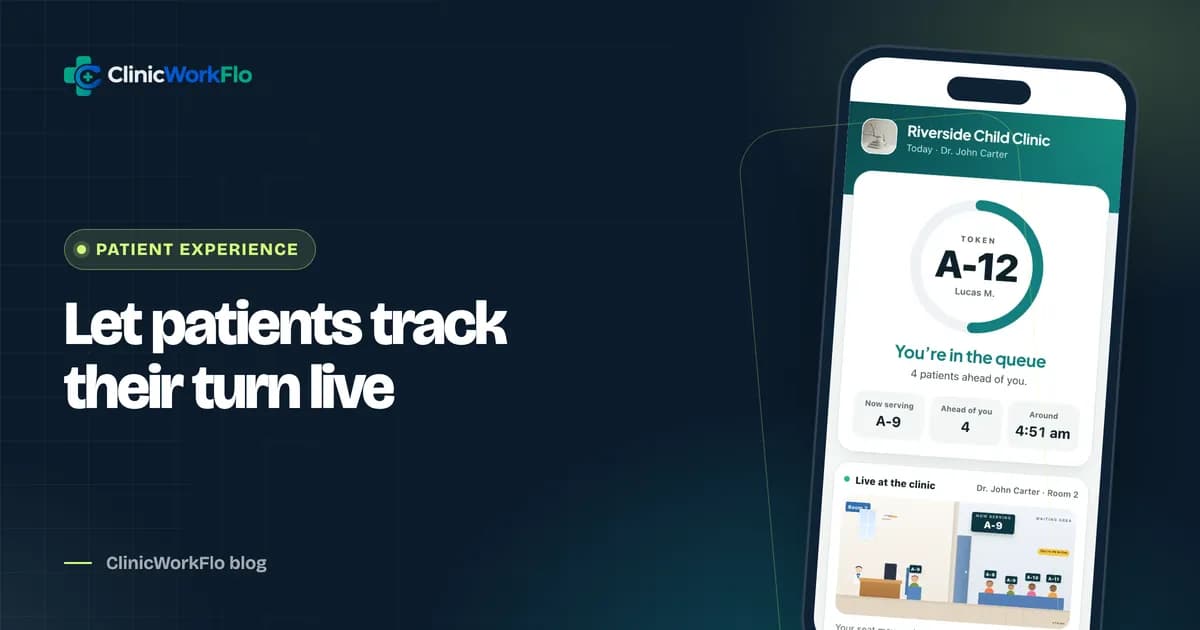
The single biggest reduction in desk questions comes from giving patients their own live view: how many people are ahead, who is being seen now, and a rough estimated time. We explain how this works in real-time patient queue tracking.
A waiting-room display
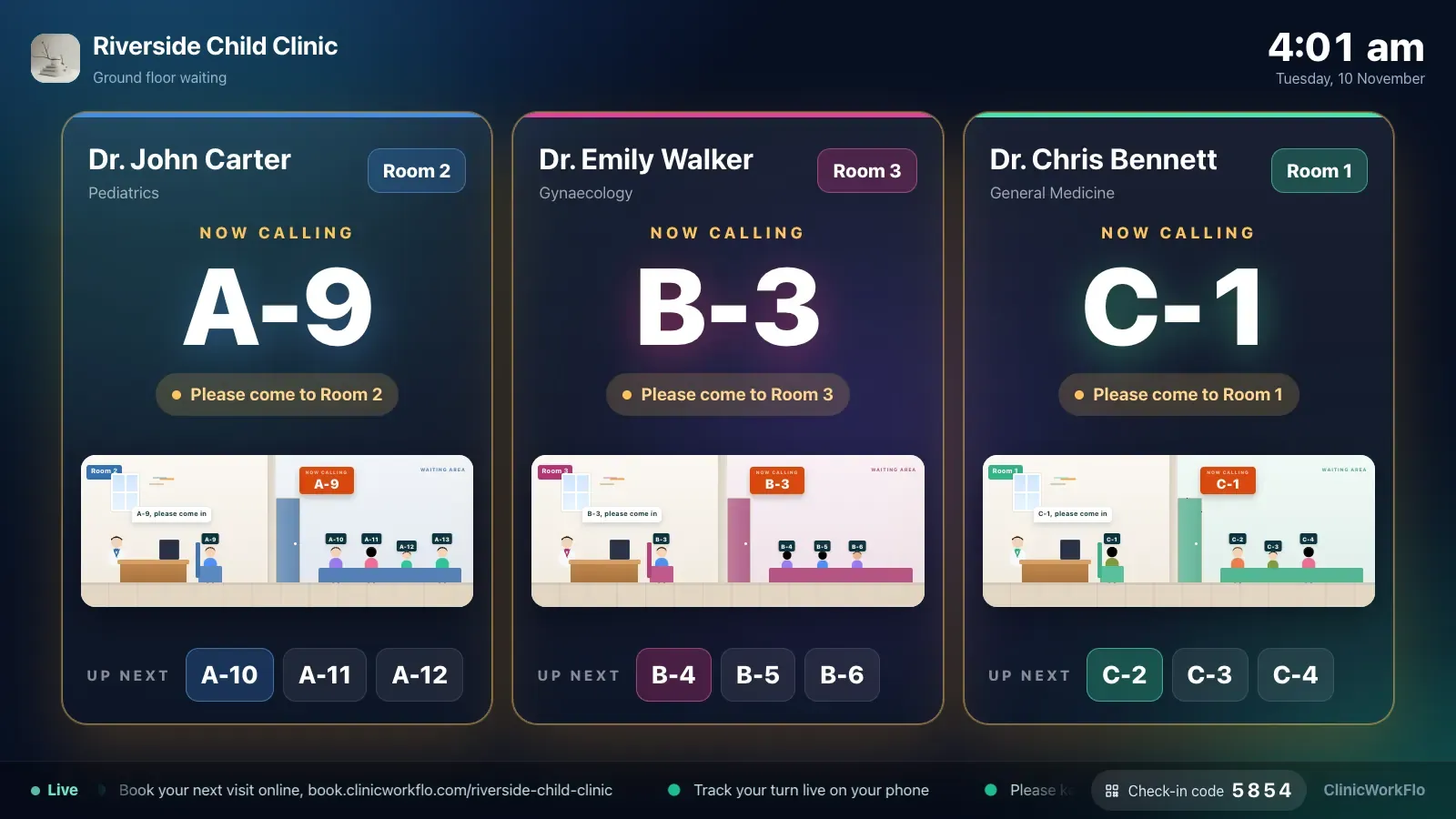
A TV that shows the token being served and the next few numbers, with a chime when someone is called, keeps the waiting room calm. Read more in our guide to the token display system for clinics.
Connected consultation, billing and follow-ups
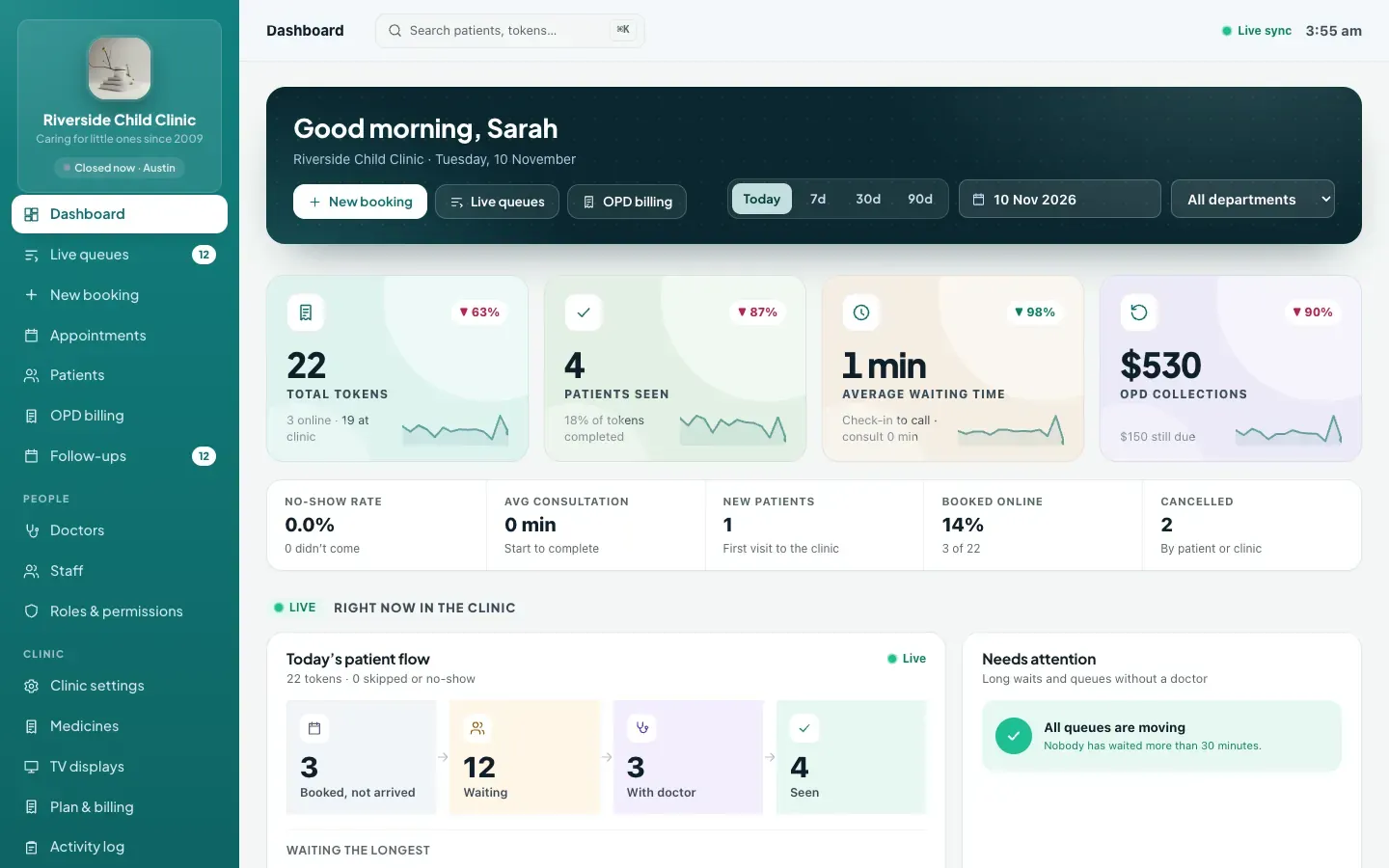
The queue is the spine of the OPD, but it is not the whole body. When the doctor completes a token, the consultation notes, prescription, bill and follow-up date should already be attached to that visit. That is where digital prescription software, OPD billing software and patient follow-up management come in.
Roles, permissions and an audit trail
As soon as more than two people use the system, you need control over who can cancel tokens, give discounts or read clinical notes, and a record of who did what. Larger practices should read our piece on multi-doctor clinic management software.
Paper register vs spreadsheet vs app-only vs a full queue system
| Approach | Patient sees position? | Walk-ins and bookings together? | Waiting-room display? | History and reports? |
|---|---|---|---|---|
| Paper register and printed tokens | No, only by asking | Only if reception merges by hand | No | Very limited |
| Shared spreadsheet | No | Possible, but manual | No | Some, if kept carefully |
| Booking app only (no queue) | Sees their booking time, not live position | Often not; walk-ins sit outside the app | Rarely | Bookings only |
| Clinic queue management system | Yes, live on their phone | Yes, one line per doctor | Yes, on any TV with a browser | Yes, per doctor and per day |
How to roll out a queue system in 7 steps
You do not need to change everything on a Monday morning. A staged rollout works better and lets staff build confidence.
- Set up doctors and sessions. Add each doctor with their speciality, token prefix, room, average consultation time and weekly OPD sessions. Mark leave days in advance.
- Decide token or slot per doctor. Start with what each doctor already does. You can change it later.
- Run the desk on the system for one week. Issue every walk-in token from the system, even if you also hand out a printed slip. Use "Call next" from reception.
- Give doctors their console. Once reception is comfortable, let doctors call and complete patients themselves from the doctor console.
- Turn on the waiting-room TV. Pair a screen, choose which doctors it shows, and switch on the chime.
- Open online booking and tracking. Share your booking link and QR poster. Patients now get a live tracking link with every token.
- Add consultation, billing and follow-ups. Switch on the clinical and money modules when the queue is running smoothly.
Common mistakes to avoid
- Running paper and digital in parallel for too long. A week of overlap is reasonable. A month means two sources of truth and constant reconciliation.
- Ignoring the average consultation time. Estimated times on the patient's phone depend on it. Set a realistic figure per doctor and adjust it after a couple of weeks.
- Calling patients who have not checked in. Use check-in properly, or the doctor will spend the morning waiting on empty calls.
- Giving everyone admin access. Create roles for reception, doctors and accounts from day one. It is much harder to take permissions away later.
- Not training for the edge cases. Practise skip, recall, move-to-another-doctor and cancel before the first busy day, not during it.
How ClinicWorkFlo helps
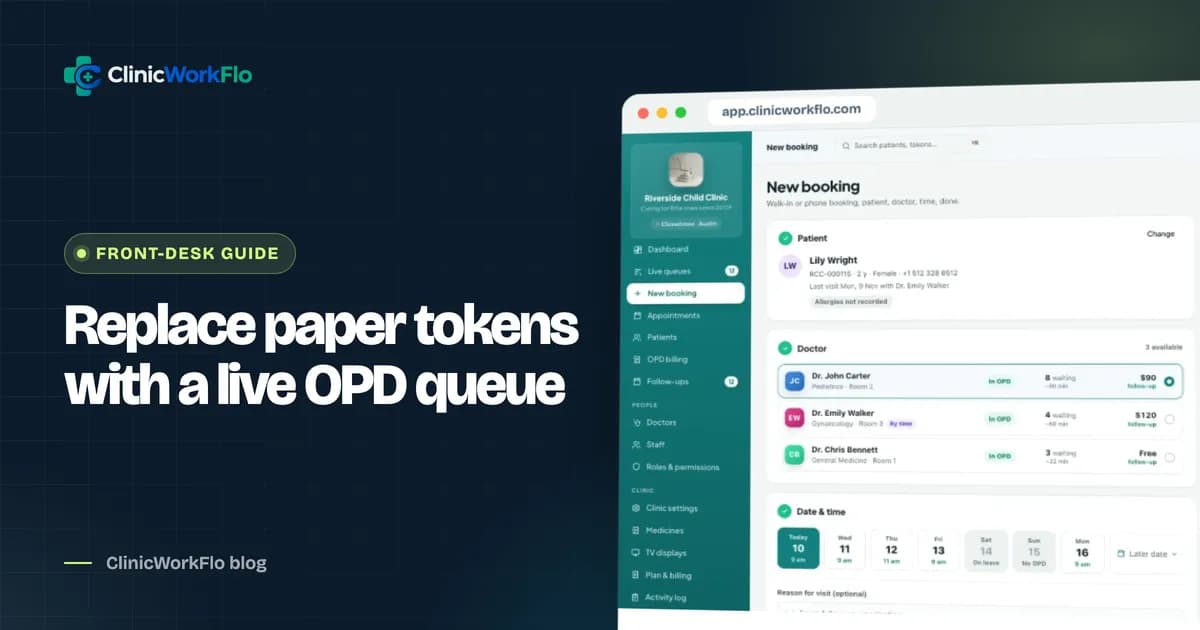
ClinicWorkFlo is a web-based clinic and hospital OPD platform built around the queue. It runs in a browser on desktops, tablets and phones, with nothing to install. Here is what it covers today:
- Live queues per doctor with token prefixes, check-in, call next, call again, skip, recall, complete and "complete and call next". If two people press "Call next" at the same moment, only one patient is called.
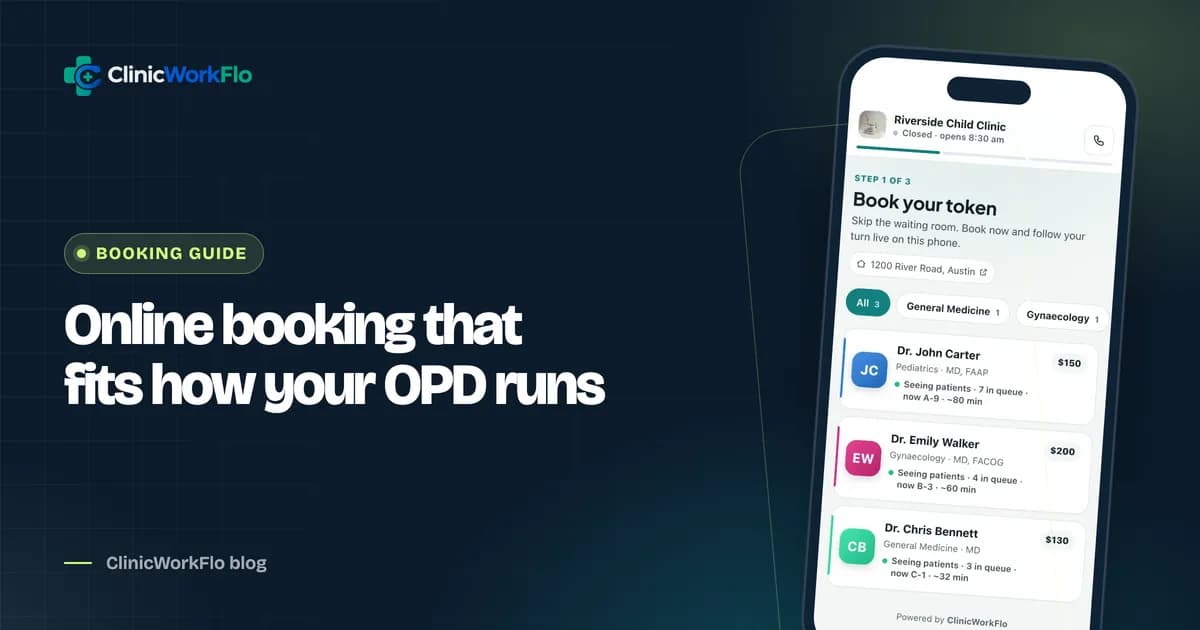
- Token or slot booking per doctor, with walk-ins, phone bookings and online bookings in one line, daily limits and advance booking days.
- Doctor availability: weekly sessions, leave days, changed hours, extra days, a short-break pause and "Close today".
- A doctor console with keyboard shortcuts so the doctor can run their own queue between patients.
- An online booking page per clinic, with specialities, doctors and fees, plus a QR poster you can print.
- A live tracking link for every token, showing people ahead and an estimated time, with no app or password.
- QR self check-in with a rotating desk code, and waiting-room TV displays paired with a 6-digit code.
- Consultation, prescriptions, follow-ups and OPD billing attached to each visit.
- Roles and permissions, staff invitations, an activity log and a dashboard with waiting times and no-shows.
Reception, the doctor's console, the TV and the patient's tracking page all update together when a token moves. You can see the full module list on our features page and how it fits different practice types on solutions.
The best way to judge any queue system is to watch it run a realistic morning. Book a 30-minute walkthrough and we will set it up with your doctors and sessions, or book a free demo if you prefer a general tour.
Frequently asked questions
What is a clinic queue management system?
It is software that keeps a live, shared queue for each doctor in a clinic. It issues tokens or appointments, decides who is called next, and shows the same up-to-date queue to reception, the doctor, the waiting-room display and the patient's phone.
Do patients need to install an app to see their place in the queue?
Not with ClinicWorkFlo. Patients get a private tracking link that opens in any phone browser. It shows their token, how many people are ahead and an estimated time, and it updates live without a login or password.
Can walk-in patients and online bookings share the same queue?
Yes. In ClinicWorkFlo, walk-in tokens issued at the desk, phone bookings and online bookings all go into the same queue for that doctor. Reception sees one list, and the queue rules decide the order.
What happens if a patient misses their turn?
Reception or the doctor can skip the token and move on. When the patient returns, the token can be recalled, which places it at the front of that doctor's line so they are seen next without restarting the queue.
Is a queue system worth it for a single-doctor clinic?
Often, yes. Even with one doctor, a live tracking link and a waiting-room display reduce crowding at the desk and let patients wait outside or nearby. A solo doctor can also run the queue directly from the doctor console without a receptionist.
What equipment do we need?
A computer or tablet at reception with a browser, and optionally a smart TV, Android TV box or a laptop connected to a screen for the waiting room. ClinicWorkFlo is web-based, so there is no special hardware.
Conclusion
A clinic queue management system is not about technology for its own sake. It is about giving every person in the OPD the same answer to "who is next?", from the receptionist to the patient sitting in the car park. Start with one queue per doctor and proper check-in, add the patient's live view and the waiting-room TV, then connect consultations, billing and follow-ups.
If you want help planning that rollout for your clinic, talk to our team or schedule a 30-minute meeting and we will walk through your current day and show you how it would run on ClinicWorkFlo.