The busiest moment at any clinic reception is not the consultation. It is arrival: ten patients walking in within a few minutes, each needing to say "I'm here" before they can sit down. Patient self check-in lets them do that themselves by scanning a QR code at the desk, so reception can focus on new registrations, billing and the patients who genuinely need help.
In this guide you will learn how QR self check-in works, why a rotating desk code matters, how it fits with online bookings and walk-ins, how to set it up and introduce it to patients, and the questions clinic owners most often ask before switching it on.
What is patient self check-in?
Self check-in means the patient marks themselves as arrived without queuing at the desk. In a clinic using a live token queue, check-in is an important step: a booked patient is only called once they are checked in, so the doctor never waits on someone who is still on the road.
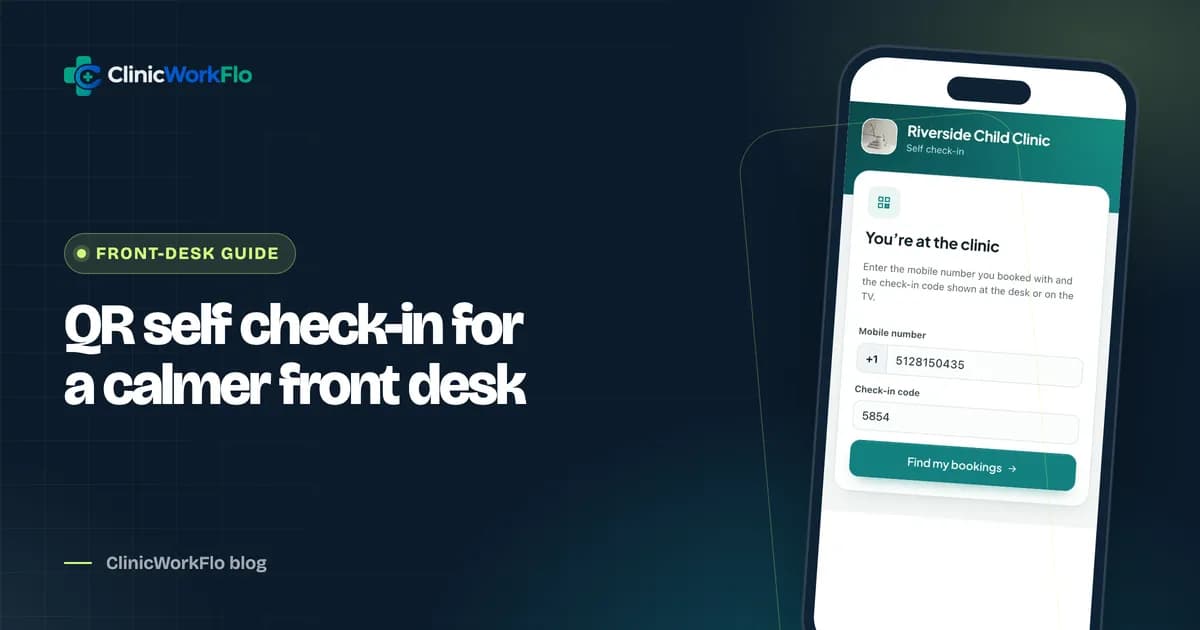
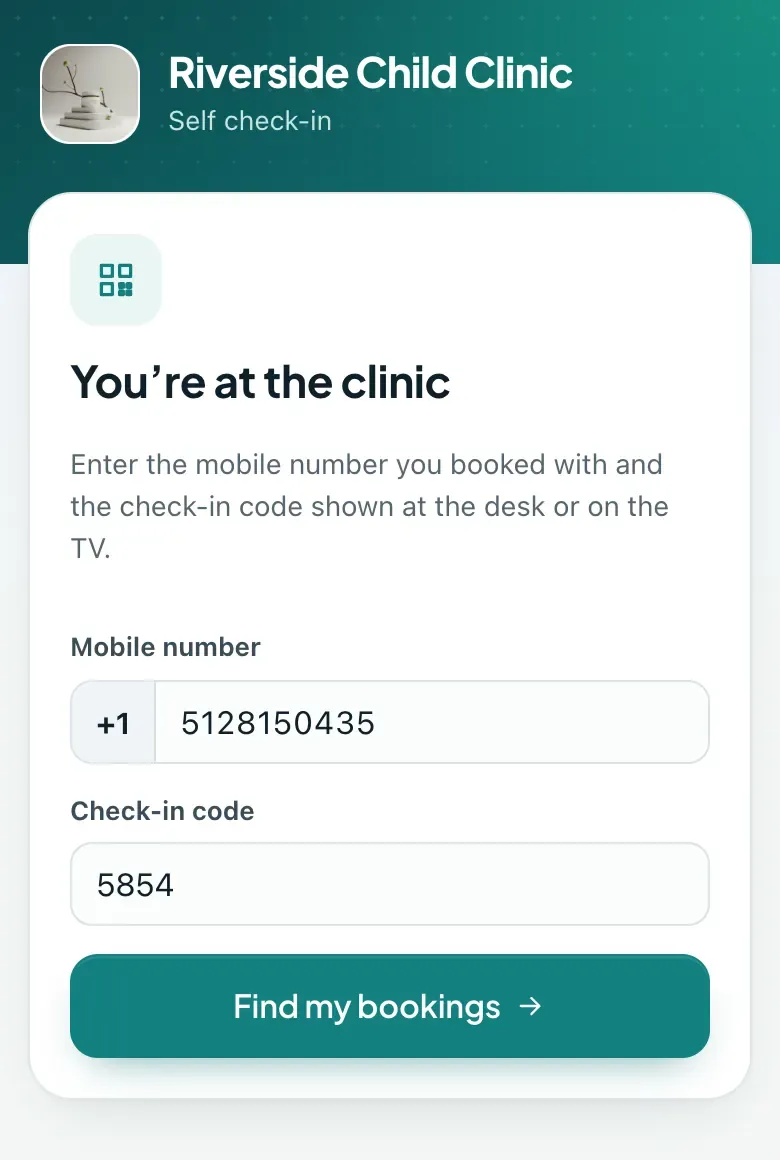
With QR self check-in, the patient scans a code placed at reception, enters their mobile number and a short code shown at the desk, and sees their booking for today. One tap moves them from "booked" to "waiting" in the doctor's queue. If they have not booked, they can take a walk-in token instead.
Why it matters at the front desk
- Shorter queues at reception during the morning rush, because returning and pre-booked patients no longer need to stop at the desk.
- Accurate queues, because patients are marked present the moment they arrive rather than when a receptionist gets to them.
- Less verbal back-and-forth about names and numbers across a noisy counter.
- Reception time freed for first-time registrations, billing questions and elderly patients who prefer help.
If your reception desk struggles with the morning rush, schedule a 30-minute meeting and we will show you self check-in on a live queue.
How QR self check-in works, step by step
- The patient arrives and scans the check-in QR code placed at reception.
- A web page opens on their phone, branded with your clinic's name and logo. No app is needed.
- They enter their mobile number and the 4-digit desk code shown at reception and on the waiting-room TV.
- They see today's bookings for everyone in their family on that number.
- They tap to check in. The token moves to "waiting" in the doctor's queue, and reception sees it instantly.
- No booking? They can take a walk-in token with a doctor who is accepting walk-ins, and land straight on their live tracking page.
Why a rotating desk code is important
Without some proof that the patient is actually at the clinic, anyone could "check in" from home to hold their place, and the doctor would call people who are not there. That defeats the purpose of check-in.
ClinicWorkFlo solves this with a short desk code that changes every five minutes. It is shown on the reception screen and on the waiting-room TV, so only someone standing in the clinic can see it. The mobile number identifies the family's bookings; the desk code proves presence. Together they make check-in quick without asking patients for passwords or one-time codes.
| Check-in method | Proof the patient is at the clinic | Effort for the patient | Effort for reception |
|---|---|---|---|
| Check in at the desk | Receptionist sees them | Queue at the counter | High at peak times |
| Static QR code only | None: the QR can be photographed and used from home | Low | Low, but queues become unreliable |
| QR code plus rotating desk code | Code is only visible inside the clinic | Low: scan, type mobile and 4 digits | Low |
| Kiosk or tablet at the entrance | Physical presence | Low | Hardware to buy, clean and maintain |
How self check-in fits with bookings and walk-ins
Online and phone bookings
Patients who booked online or by phone already have a token in the "booked" state. Self check-in simply moves it to "waiting", and it takes its proper place in the doctor's queue. Their tracking link keeps working throughout.
Families on one number
When a parent brings two children, one check-in screen shows all of today's bookings on that mobile number. The parent checks each child in without having to remember which token belongs to whom.
Walk-ins
Patients without a booking can take a walk-in token from the same page, choosing from doctors who are currently accepting walk-ins. The token is recorded as a QR self check-in, so the clinic can see how many patients use it. If walk-ins are closed for the day, the page says so.
Already checked in
If a patient tries to check in twice, the page tells them they are already waiting, rather than creating a second token.
Want to try the patient side yourself? Talk to our team and we will walk you through check-in on your own phone.
Setting up patient self check-in
- Switch on self check-in in your booking rules.
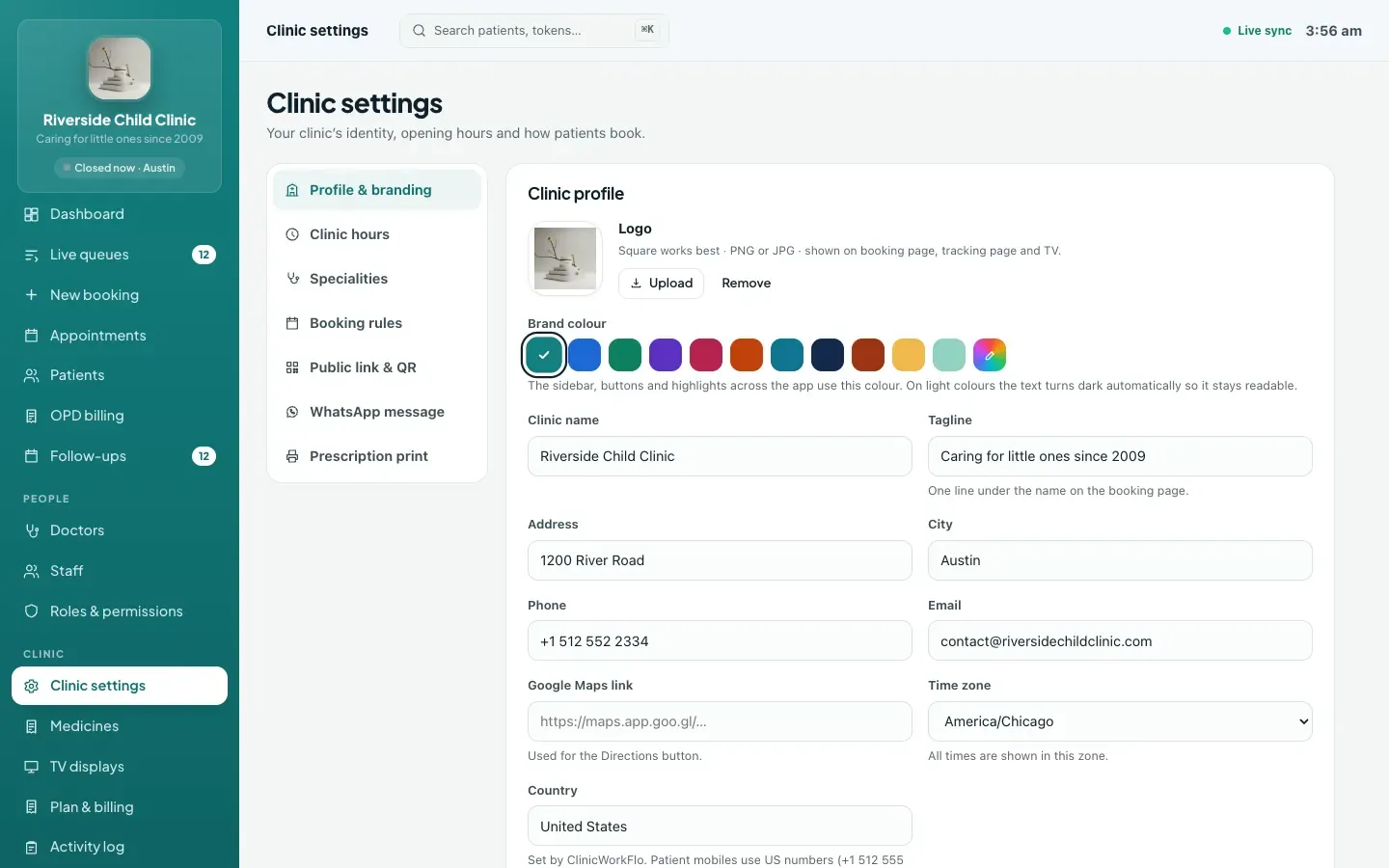
- Place the check-in QR. Copy it from Clinic settings, print it and put it at the reception desk and near the entrance.
- Show the desk code. It appears on the live queues screen at reception and on the waiting-room TV automatically.
- Decide on walk-ins. Keep walk-in booking open if you want new arrivals to take a token by QR; close it on days when doctors are full.
- Test it. Book a token for a staff member, then check in from their phone using the desk code.
- Brief the front desk on how to help patients who prefer not to use their phone.
Introducing self check-in to patients
Technology at the front desk only works if patients use it. A few practical tips:
- Use clear signs next to the QR: "Booked already? Scan to check in. Code is on the TV."
- Have reception point to it for the first couple of weeks: "You can check in on your phone next time."
- Keep the desk open for anyone who prefers it. Self check-in is an option, not a gate.
- Place the QR where people pause, not where they are rushing past.
- Put the booking QR poster nearby too, so patients can book their next visit while they wait. ClinicWorkFlo's printable poster is available in English and Hindi.
Common concerns
"Our patients are not comfortable with smartphones"
Many will be, and every patient who checks themselves in frees the desk for those who are not. Younger family members often handle it for elderly patients. There is no app to install, so the barrier is a camera scan and a few digits.
"What if someone checks in and then leaves?"
The same thing that happens today: when they are called and are not there, reception or the doctor skips the token. When they return, the token can be recalled to the front of the line.
"Is the patient's information exposed?"
The check-in page shows only today's bookings for that mobile number, with short names, and only after the desk code is entered. Nothing clinical appears on it. You can read more about how patient-facing pages are designed on our security page.
Placing the QR code and the desk code well
Small details of placement make a big difference to how many patients use self check-in:
- At eye level, near the entrance and the desk. Patients should see the QR before they join the counter queue, not after.
- Large enough to scan from a step away. A QR printed at least the size of a postcard scans easily on older phones.
- Next to a short instruction. Three lines are enough: scan, enter your mobile number, enter the code shown on the screen.
- Where the code is visible. The desk code appears on the reception screen and on the waiting-room TV. If the TV is not visible from the QR, consider a second screen or move the QR.
- Away from glare. Laminated prints under strong lights can be hard to scan; a matte finish works better.
Measuring whether self check-in is working
After a few weeks, look at how patients arrived. The dashboard shows tokens by source, including QR self check-in. If the share stays low, the usual causes are placement, missing signs or reception not mentioning it. If it is healthy, check whether the counter queue at peak times has become shorter, and ask the front desk whether they now have more time for new registrations and billing.
How ClinicWorkFlo helps
- A check-in QR for your reception desk that opens a branded page in any phone browser.
- A rotating 4-digit desk code that changes every five minutes, shown at reception and on the TV, so check-ins only happen at the clinic.
- Family bookings on one number shown together, each checked in with a tap.
- Walk-in tokens by QR with doctors accepting walk-ins, recorded as their own source in reports.
- Instant updates to reception, the doctor console, the TV and the patient's tracking link.
- A clinic-level switch to turn self check-in and walk-ins on or off.
- A printable booking poster in English or Hindi for the waiting room.
Self check-in is one step in the patient's journey through your OPD. To see the whole flow, read our clinic queue management system guide. For what patients see after they check in, read real-time patient queue tracking, and to put the desk code on a screen, see our guide to the token display system for clinics.
Ready to take the morning rush off your desk? Book a 30-minute meeting and we will set up self check-in with you.
Frequently asked questions
How does patient self check-in with a QR code work?
The patient scans a QR code at reception, enters their mobile number and a 4-digit code shown at the desk and on the TV, and sees today's bookings for their family. One tap marks them as arrived, and they join the doctor's live queue.
Why do patients need to enter a desk code?
The desk code proves the patient is physically at the clinic. It changes every five minutes and is only shown inside the clinic, so nobody can check in from home to hold their place in the queue.
Do patients need an app or a password to check in?
No. The check-in page opens in any phone browser after scanning the QR. Patients only need their mobile number and the current desk code.
Can patients without a booking use self check-in?
Yes, if walk-ins are open. They can take a walk-in token with a doctor who is accepting walk-ins and go straight to their live tracking page. If walk-ins are closed, the page tells them.
Does self check-in replace the receptionist?
No. It takes routine check-ins off the desk at busy times, so reception can spend more time on new registrations, billing and patients who need help. Patients who prefer the desk can still check in there.
Conclusion
Patient self check-in is a small change with a visible effect on the busiest part of the clinic day. A QR code at the desk, a rotating code that proves presence, and one tap to join the queue are enough to shorten the counter queue and keep the doctor's list accurate. Introduce it gently, keep the desk open for those who need it, and let the patients who are comfortable with their phones help themselves.
For help planning the rollout, contact us or schedule a 30-minute meeting. You can also book a free demo to see self check-in alongside the rest of the OPD workflow.