Running a clinic with one doctor is mostly about the doctor's day. Running a polyclinic with eight doctors, or a hospital OPD with dozens, is about coordination: many queues, many staff, different fees, different timings, and a growing need to know who did what. Multi-doctor clinic management software gives owners and managers one system for all of it, with the controls a larger team needs.
This guide is for owners and OPD managers of multi-doctor clinics and hospital outpatient departments. You will learn how to organise doctors and queues, how to design roles and permissions, how to onboard and offboard staff safely, why an audit trail matters, which numbers to watch on a dashboard, and how to plan the move to a single system.
What changes when a clinic grows beyond one doctor
The workflows that work for a solo practice start to strain as soon as a second or third doctor joins. Common signs:
- Several registers at reception, one per doctor, with patients moved between them by hand.
- Different fee rules per doctor that reception has to remember.
- Shared logins on the clinic computer, so nobody knows who cancelled a token or changed a fee.
- Doctors seeing each other's notes by default, or not being able to see them when they genuinely need to.
- No clear picture of which doctor is overloaded, where patients are waiting longest, or how many did not turn up.
If your clinic is already feeling these growing pains, schedule a 30-minute meeting and we will look at how your doctors, staff and queues could run on one system.
Organising doctors, specialities and queues
One profile per doctor
Each doctor should have their own profile with speciality, qualification, registration number, photo, room, consultation fees and booking settings. These details flow into the booking page, the printed prescription and the bill, so they only need to be entered once.
One queue per doctor, one screen for reception
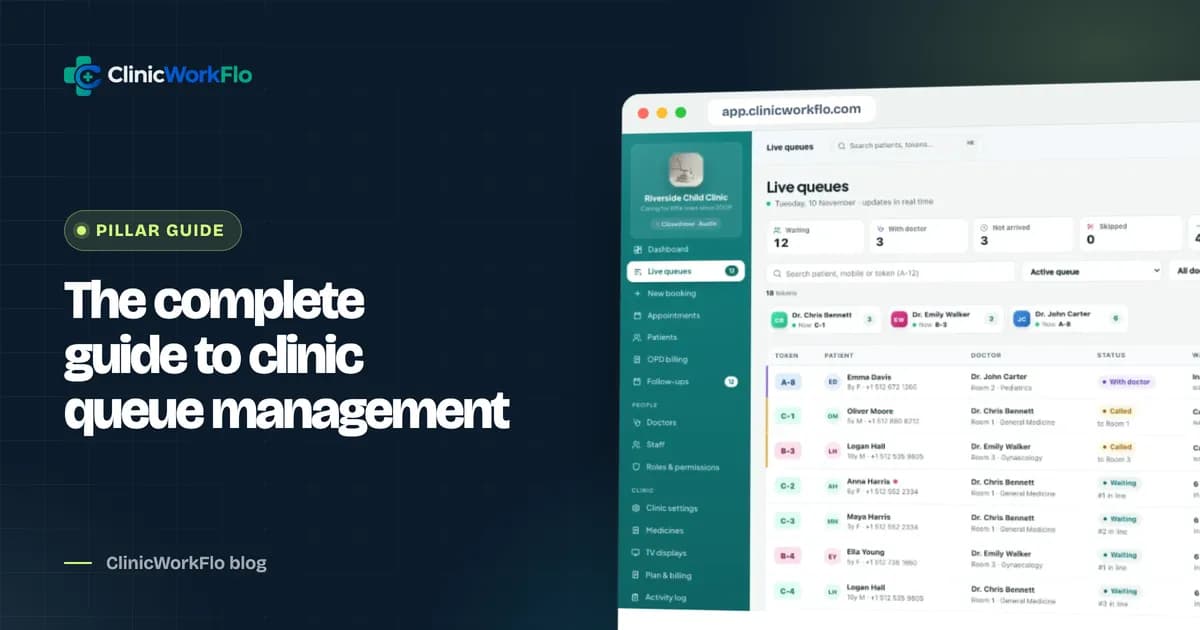
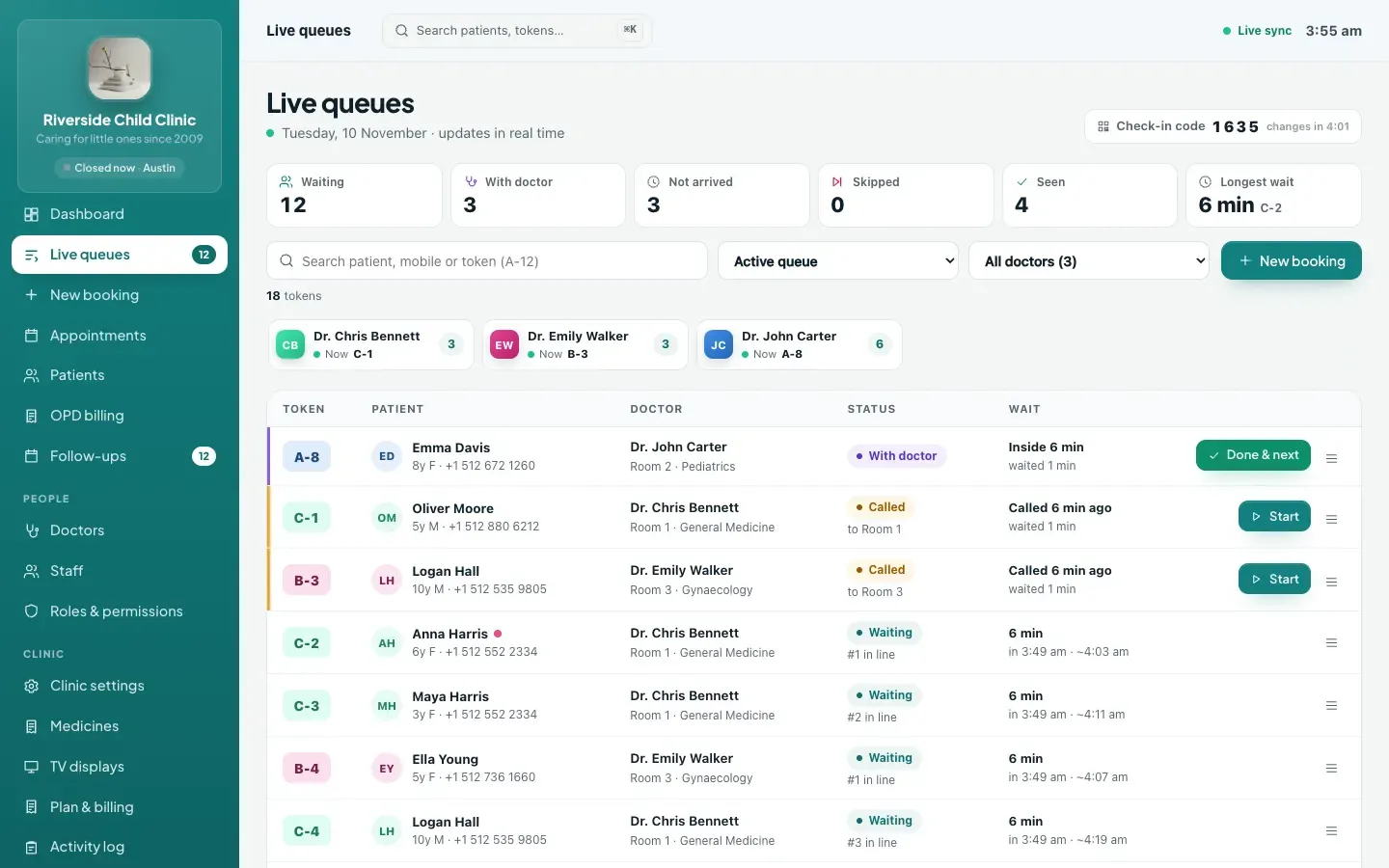
Every doctor has their own token queue with a distinct prefix. Reception sees all queues side by side, can move a patient from one doctor to another, and can see at a glance which doctor has the longest line. For the fundamentals, read our complete guide to clinic queue management systems.
Availability that matches reality
In a multi-doctor clinic, timings change constantly: a doctor on leave, a consultant visiting on Saturdays only, an evening session moved for a conference. Weekly sessions should fit within clinic hours, with date-specific leave, changed hours and extra days, plus a short-break pause and a "close today" option.
Specialities for patients
Group doctors by speciality on the booking page, so patients find the right doctor quickly. When a speciality is renamed, every doctor in it should follow automatically.
Roles and permissions: designing access for your team
Permissions are where many multi-doctor clinics either over-share or lock people out. A good model gives each role exactly what the job needs, module by module.
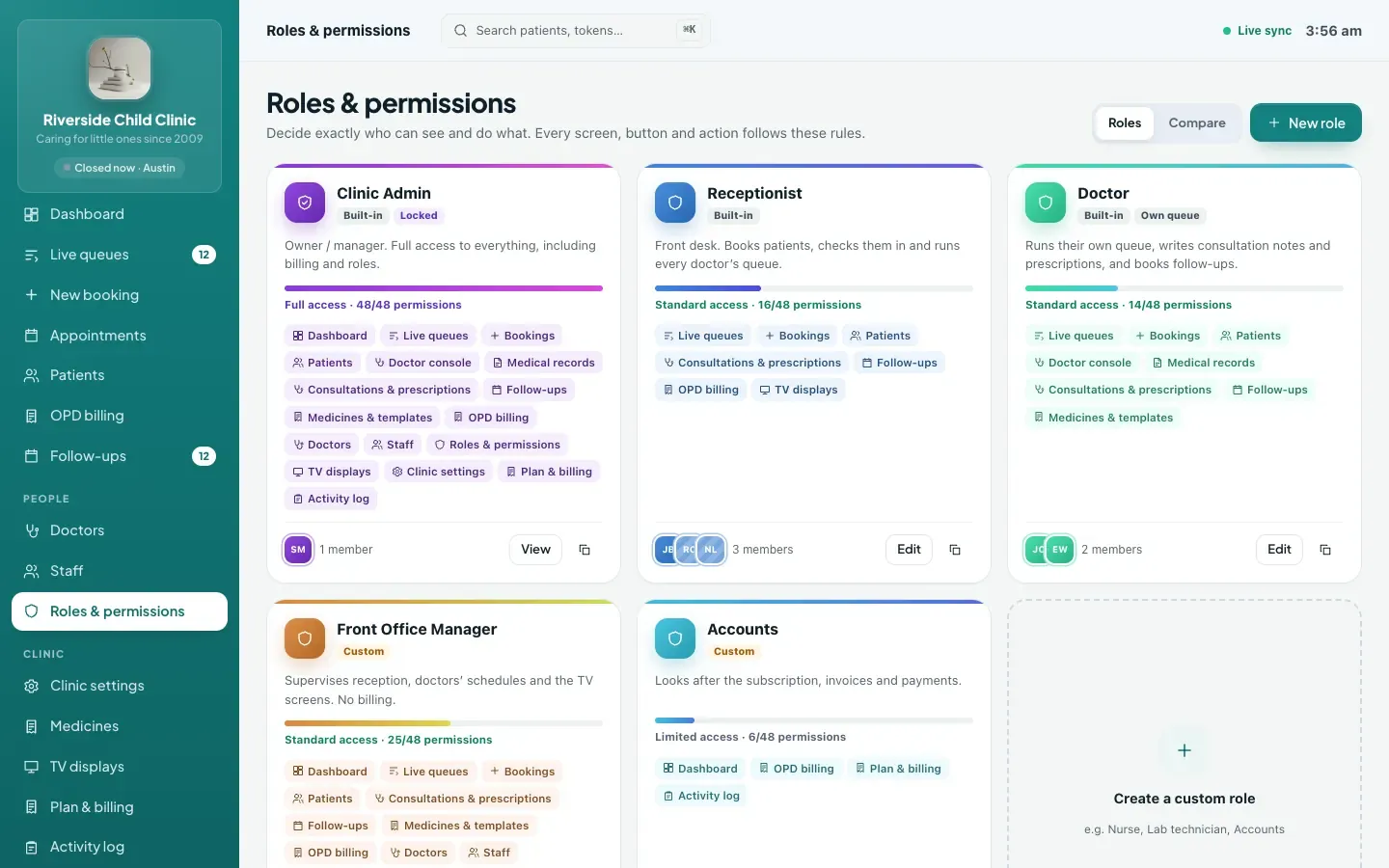
Start with built-in roles
- Clinic admin: full access, including settings, staff and roles. Keep this to the owner and one trusted manager.
- Receptionist: queues, bookings and patients, without clinical notes.
- Doctor: their own queue and console, and the consultation workspace for their own patients.
Add custom roles for everything else
Most clinics need a few more: accounts staff who handle billing but not bookings, a nurse or assistant who helps with queues and patient registration, an OPD manager who sees the dashboard and activity log. Build each role by choosing view, add, edit, delete and manage permissions for each module.
| Role example | Typical access | Typically no access to |
|---|---|---|
| Front desk | Live queues, bookings, patients, prescriptions (print and share) | Clinical notes, roles, settings |
| Accounts | OPD billing, including payments and summaries; dashboard | Clinical notes, queue control |
| Doctor (own queue) | Own console and queue, consultations for own patients, follow-ups | Other doctors' queues, staff, settings |
| OPD manager | All queues, bookings, dashboard, activity log, discount approval | Roles and clinic-wide settings, if the owner prefers |
| Clinic admin | Everything | Nothing |
Protecting clinical privacy
Clinical notes deserve special care. A sensible approach: doctors have full access to patients they have treated; reception can print and share prescriptions without seeing complaints, findings or vitals; and a doctor who needs to open the record of a patient they have not treated gives a written reason, which is logged. That keeps care flowing while making access accountable.
Need help mapping your team to roles? Talk to our team and we will draft a role plan with you.
Onboarding and offboarding staff safely
Personal logins only
Every person should have their own login. Shared logins make it impossible to know who did what and impossible to remove one person's access without disrupting everyone.
Invite, do not create
Invite staff by email with a single-use link that expires. The new team member sets their own password; nobody else ever knows it. Resend or withdraw an invitation if plans change.
Offboard on the same day
When someone leaves, deactivate their account. In ClinicWorkFlo, deactivation signs the person out on every device straight away. The system also prevents you from removing the last clinic admin by accident.
Doctor logins
Doctors get their own sign-in linked to their doctor profile, so the console shows their own queue and the consultations they write carry their name and registration details.
Why an audit trail matters
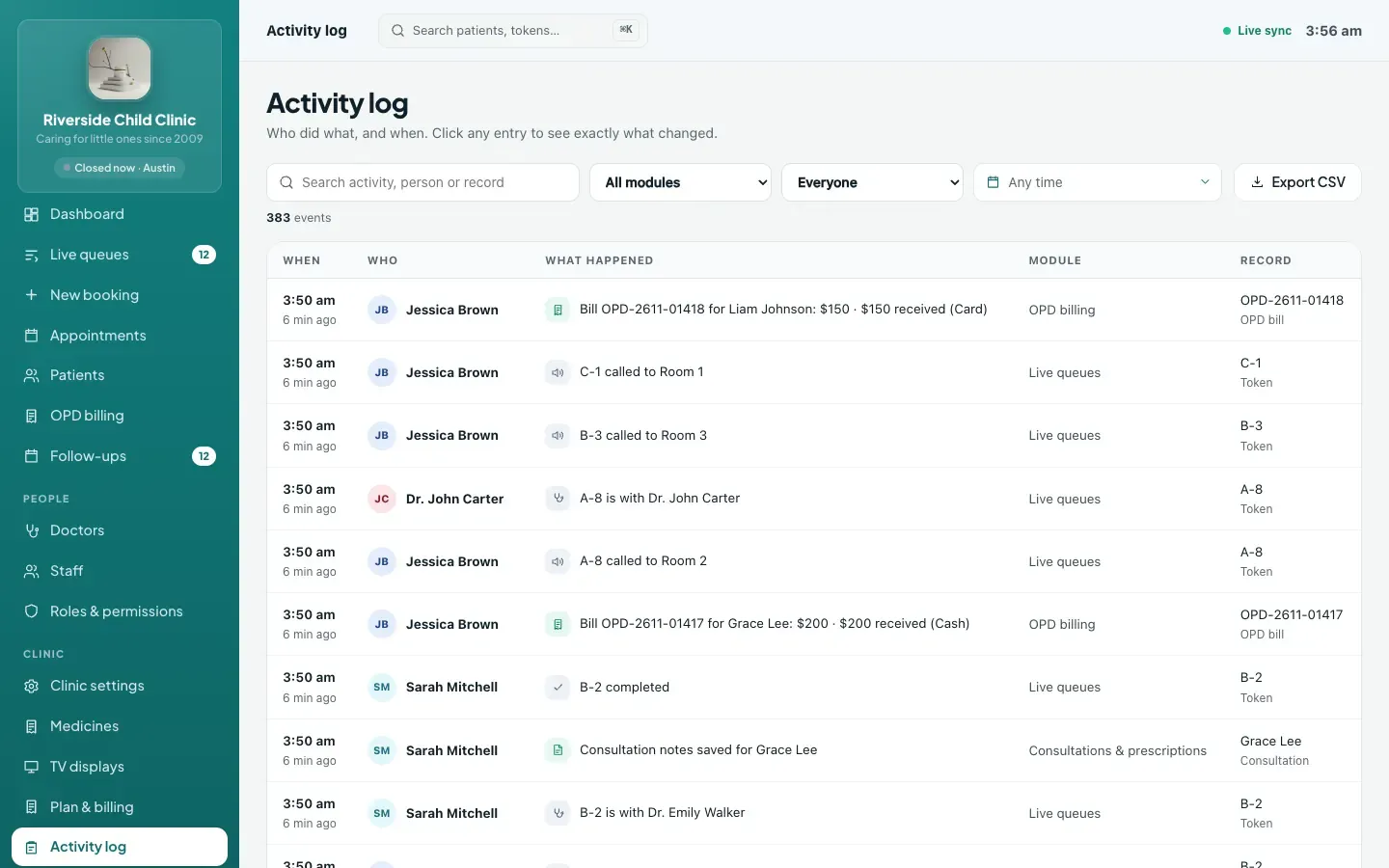
In a team, things change all day: fees, discounts, cancelled tokens, edited patient details. An activity log answers "who changed this, and when?" without accusations or guesswork. A useful audit trail records:
- Who performed the action and when.
- What was changed, with the old and new values.
- Patient-facing actions such as online bookings and self check-ins, marked as done by the patient.
- Sensitive events such as opening a record outside one's own patients, with the reason given.
Review it weekly for discounts, cancellations and fee changes. Most of the time it simply confirms everything is in order, which is exactly what you want to know.
Dashboard analytics that help you run the OPD
A dashboard should help you make decisions, not decorate a screen. For a multi-doctor clinic, the most useful views are:
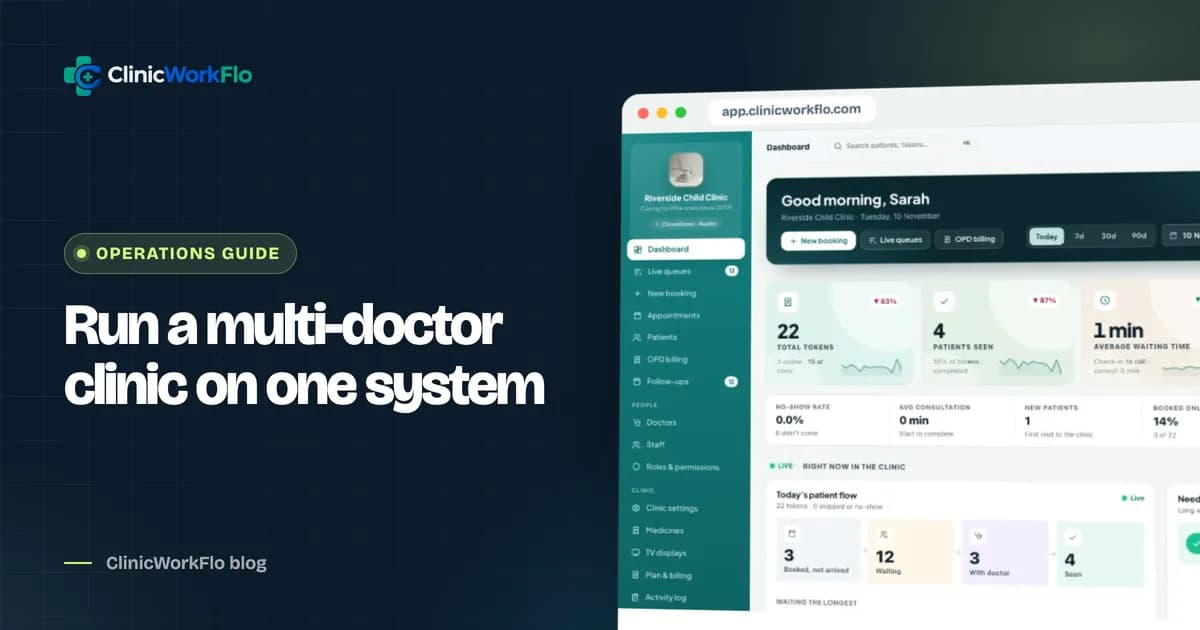
- Live view of today: each doctor's status, who is inside, how many are waiting and the longest current wait, with alerts when waits get long.
- Volume: tokens, patients seen, new patients, no-shows and cancellations for any date range.
- Time: average wait from check-in to call, and average consultation time, per doctor.
- Demand patterns: busiest hours, and how patients arrive (walk-in, phone, online, QR self check-in or doctor-booked follow-up).
- Specialities: which departments are busiest.
- Money: billed, collected and due.
- Comparison: each figure against the previous period of the same length.
Planning the move to multi-doctor clinic management software
- List doctors and timings, including regular leave days and visiting consultants.
- Agree fee rules per doctor: new-visit fee, follow-up fee and follow-up window.
- Design roles before inviting anyone.
- Invite staff with personal logins, starting with reception and one doctor.
- Run queues digitally for all doctors at reception first.
- Bring doctors onto the console, then switch on consultations, prescriptions, billing and follow-ups.
- Pair TV displays for each waiting area.
- Review the activity log and dashboard weekly for the first month.
Common mistakes in multi-doctor setups
- Making everyone a clinic admin. It feels easier in the first week and causes problems for years. Keep full access to one or two people.
- Designing roles around people instead of jobs. Create a "Front desk" role, not a "Priya" role. When staff change, the role stays the same.
- Forgetting visiting consultants. Doctors who come once a week still need correct sessions and leave dates, or patients will book days they are not there.
- Leaving former staff active. Deactivate accounts on the last working day, not when someone remembers months later.
- Never opening the activity log. An audit trail only helps if someone looks at it. A ten-minute weekly review of discounts, cancellations and fee changes is enough.
- Measuring doctors only by volume. Patients seen is one number. Waiting time, consultation time and no-shows tell you far more about whether a doctor's sessions are set up well.
How ClinicWorkFlo helps
ClinicWorkFlo is built for clinics of every size, from a few doctors to a hospital OPD, on one web-based platform. For multi-doctor practices it provides:
- Doctor profiles with specialities, qualifications, registration numbers, photos, rooms, fees, token prefixes and booking modes.
- Availability with weekly sessions inside clinic hours, leave, changed hours, extra days, short breaks and "close today".
- Live queues for every doctor on one reception screen, with move-to-another-doctor and per-doctor booking links.
- Roles and permissions across every module with view, add, edit, delete and manage, three built-in roles and your own custom roles.
- Clinical privacy: own-patient access for doctors, print-only access for reception, and logged access with a written reason when needed.
- Staff invitations by expiring email link, resend and withdraw, deactivation that signs out everywhere, and last-admin protection.
- An activity log with who, when and before and after values.
- A dashboard with live doctor status, wait alerts, date-range comparison, sources, specialities, hourly patterns and billing figures.
- Multiple TV displays, each showing chosen doctors, depending on your plan.
Read more about how we approach access and logging on our security page, see how different practice types use ClinicWorkFlo on solutions, and explore the money side in our OPD billing software guide.
Running several doctors or a hospital OPD? Book a 30-minute meeting and we will model your doctors, roles and waiting areas during the call.
Frequently asked questions
What is multi-doctor clinic management software?
It is software that manages the daily operations of a clinic or OPD with several doctors: each doctor's queue, bookings and availability, patient records, consultations, billing, staff access and reporting, all in one shared system with role-based permissions.
Can each doctor have different fees and timings?
Yes. In ClinicWorkFlo, every doctor has their own new-visit fee, optional follow-up fee and follow-up window, weekly sessions, leave and date-specific changes, booking mode and daily limit.
Can doctors see each other's patients' notes?
By default, a doctor with an own-queue role has full access to patients they have treated. To open another patient's clinical record, they must enter a written reason, which is recorded in the activity log. Clinic admins and roles with medical records manage permission have full access.
How do we give reception access without exposing clinical notes?
Give the reception role view access to consultations and prescriptions but not to medical records. They can then print and share prescriptions, which leave out complaints, findings, vitals and history, without reading the doctor's notes.
What happens when a staff member leaves?
Deactivate their account in Staff. ClinicWorkFlo signs them out on every device immediately. Their past actions remain in the activity log, and the system will not let you deactivate the last clinic admin.
Does it work for a hospital OPD with many doctors?
Yes. ClinicWorkFlo runs one queue per doctor with no change in workflow as doctors are added. The number of doctors, staff logins and TV displays depends on your plan.
Conclusion
Multi-doctor clinic management software is about giving a growing team one shared picture of the day, with the right access for each person and a clear record of what happened. Organise doctors and queues first, design roles before inviting staff, protect clinical notes, use the activity log as a routine check, and let the dashboard tell you where patients are waiting.
To plan the move for your clinic or hospital OPD, contact us or schedule a 30-minute meeting. You can also book a free demo for your management team.