"How many more before me?" is probably the most asked question at any clinic reception. Every time it is asked, a receptionist stops what they are doing, checks the register and gives an answer that is already out of date by the time the patient sits down. Real-time patient queue tracking answers that question on the patient's own phone, continuously, without anyone at the desk having to look it up.
This article explains how live queue tracking works, what a patient should see on a tracking page, how estimated waiting times are calculated and why they are always estimates, how to protect patient privacy, and how to introduce tracking links at your clinic.
What real-time patient queue tracking means
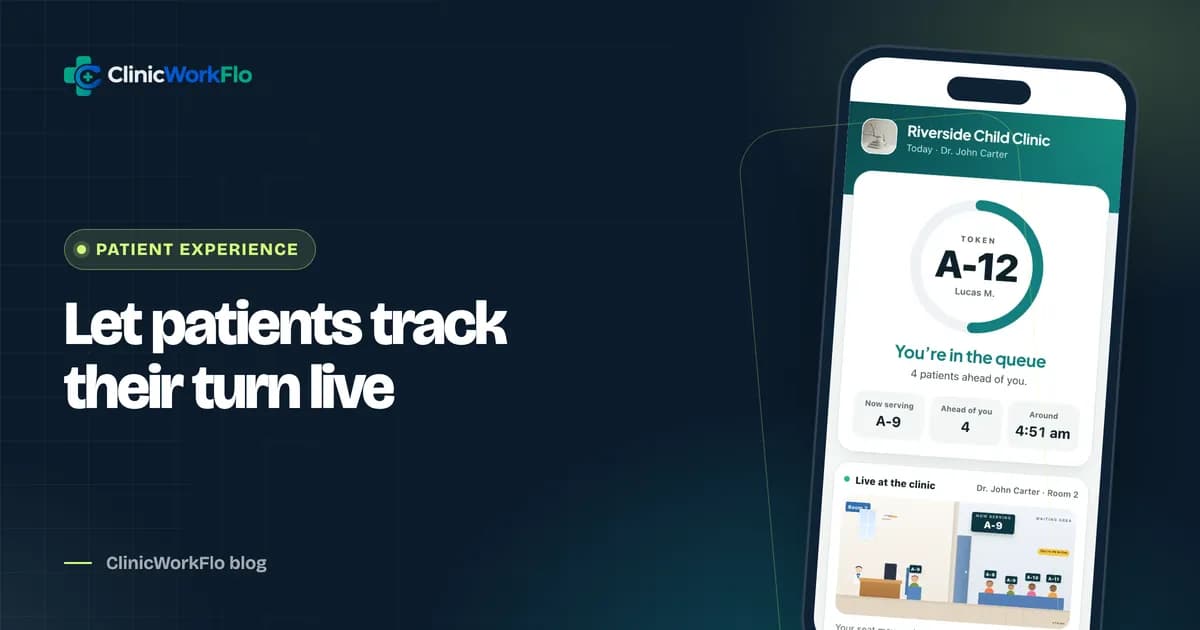
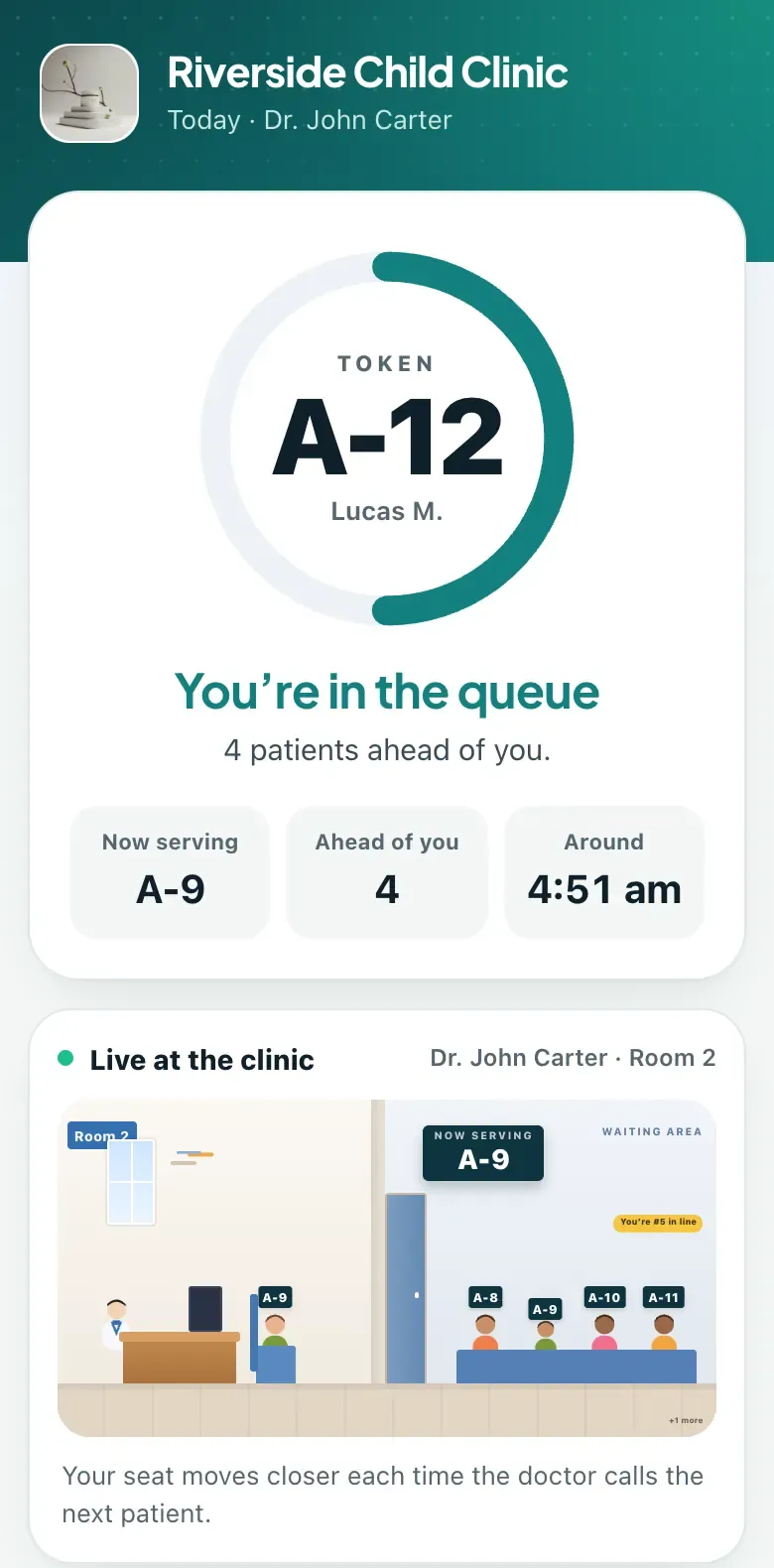
Each token or appointment gets its own private web link. When the patient opens it, they see their token number, their doctor, how many people are ahead of them, which token is being seen right now and an estimated time for their turn. As reception and the doctor move through the queue, the page updates by itself.
The key word is real-time. A page that shows the booking time and nothing else is a receipt, not tracking. Live tracking reflects what is actually happening in the consultation room: a long consultation, a doctor's short break or a patient who did not turn up.
What patients do with that information
- Wait in the car, at a nearby shop or at home instead of a crowded waiting room.
- Arrive later when the doctor is running behind, rather than sitting for an hour.
- Know when to come back in from outside, because the page shows they are close.
- Stop crowding the desk to ask, which gives reception time to look after people who need help.
For elderly patients, parents with sick children and anyone with a long wait, that freedom makes a noticeable difference to how the visit feels.
If you would like to see a tracking link in action, schedule a 30-minute meeting and we will run a live queue while you watch it on your phone.
What a good tracking page shows
- The token number and doctor, including the room if the clinic uses room numbers.
- Status in plain words: booked, in the queue, almost your turn, please go in, with the doctor, done.
- People ahead: the single number patients care about most.
- Now serving: the token currently with the doctor, which helps patients cross-check against the waiting-room display.
- An estimated time, clearly marked as an estimate.
- The clinic's details: name, logo, address with a maps link, and phone number.
- Self-service actions where allowed: cancel, or reschedule a booking they have not arrived for yet.
ClinicWorkFlo's tracking page also shows an "Almost your turn" message when the number of people ahead drops below a threshold the clinic sets, and on phones that support it the page vibrates when the patient is called, as long as the page is open.
How estimated waiting time is calculated
An honest estimate is simple and transparent rather than clever. In ClinicWorkFlo, the estimate is based on three things:
- People ahead in that doctor's queue right now.
- The doctor's average consultation time, which the clinic sets per doctor.
- The session start time, if the doctor has not started yet, so a patient who books at 7 a.m. for a 10 a.m. OPD sees a time after 10.
For slot appointments there is one more rule: a booked patient is never called before their slot time, so the estimate never shows a time earlier than the appointment.
Why estimates will never be exact
Consultations vary. A child with a simple cold and a patient with three chronic conditions take very different amounts of time. Patients understand this as long as you are honest. Label the time as an estimate, keep the "people ahead" number prominent because it is always accurate, and update the doctor's average consultation time after a few weeks of real use.
| What the patient sees | How reliable it is | What affects it |
|---|---|---|
| People ahead | Exact at that moment | Check-ins, recalls and cancellations |
| Now serving | Exact | Reception or doctor pressing call |
| Estimated time | An estimate | Consultation length, breaks, the average time set for the doctor |
| Status (almost your turn, called) | Exact | Queue actions and the clinic's "almost your turn" threshold |
Privacy: what a tracking link should never show
A tracking link is shared on WhatsApp and opened without a password, so it must reveal as little as possible. Design principles worth insisting on:
- No other patients' names or numbers. The queue is shown as token numbers and counts only.
- A shortened version of the patient's own name, such as "Robert H.", not the full name.
- No clinical information on the tracking page itself.
- A long, unguessable link, rather than a sequential number anyone could change in the address bar.
- Separate links for separate things. In ClinicWorkFlo, the prescription has its own private link; the tracking link does not open it directly.
You can read more about our approach on the security page.
How patients receive the tracking link
There are three common ways patients get their link with ClinicWorkFlo:
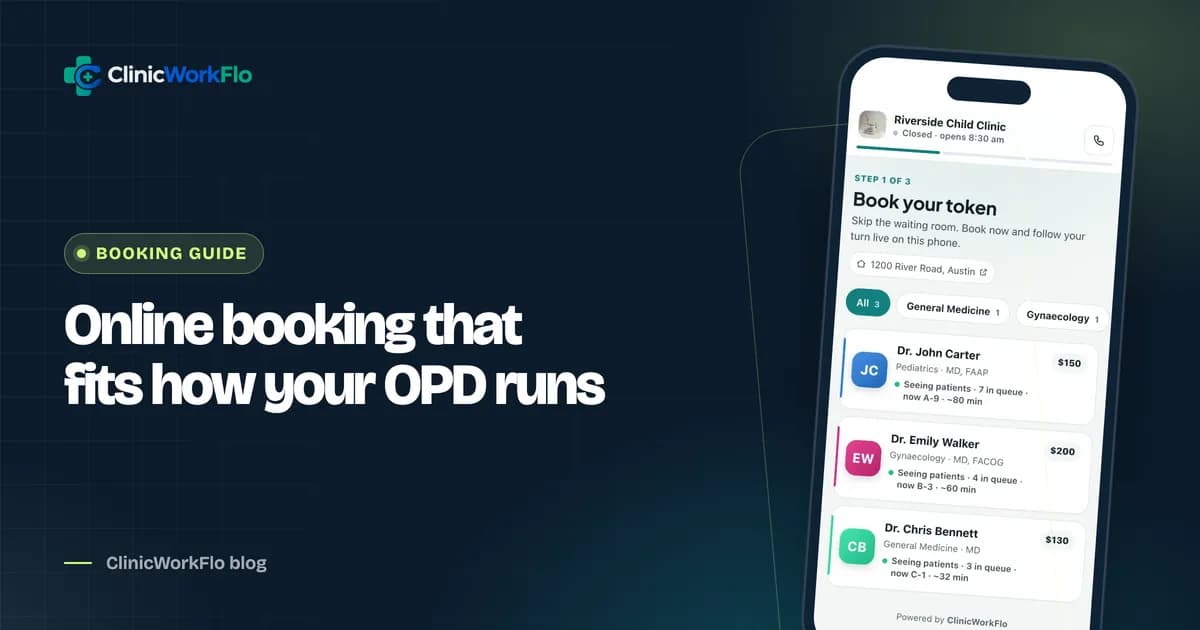
- Online booking: the link appears straight after the patient books, with an option to save it on WhatsApp.
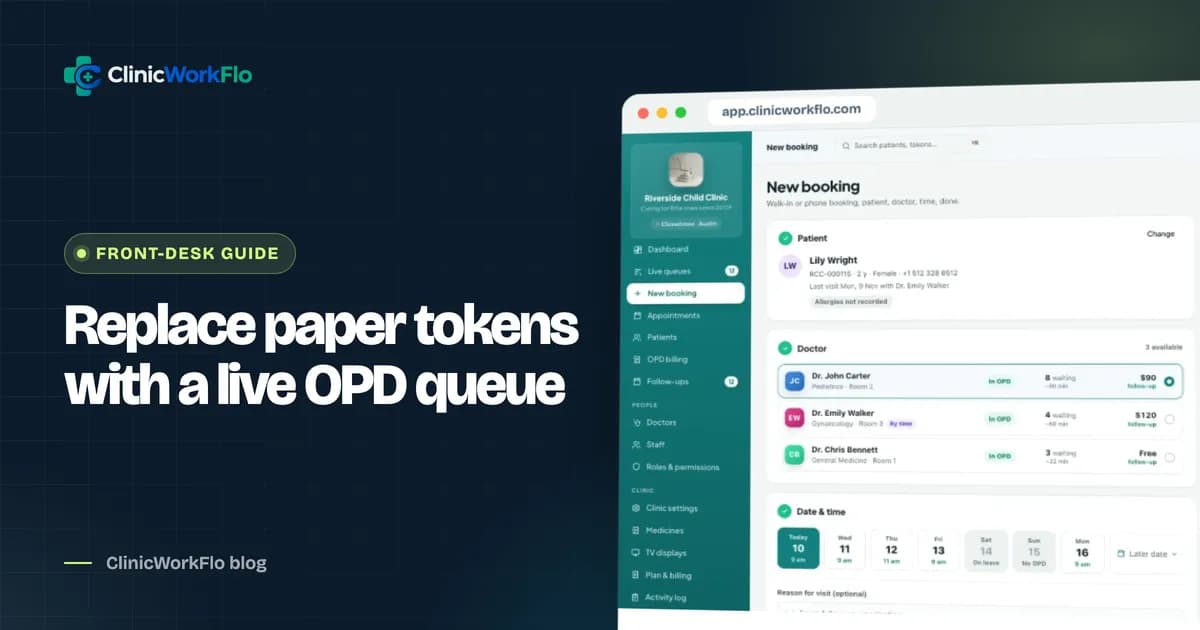
- At the desk: after issuing a walk-in or phone token, reception taps "WhatsApp" to open a pre-filled message to the patient with the token and the link. The staff member sends it from the clinic's WhatsApp.
- QR self check-in: a patient who takes a walk-in token by scanning the reception QR code lands on their tracking page immediately.
Messages are not sent automatically; the clinic decides who receives what. Our guides to online appointment booking for clinics and patient self check-in cover those flows in detail.
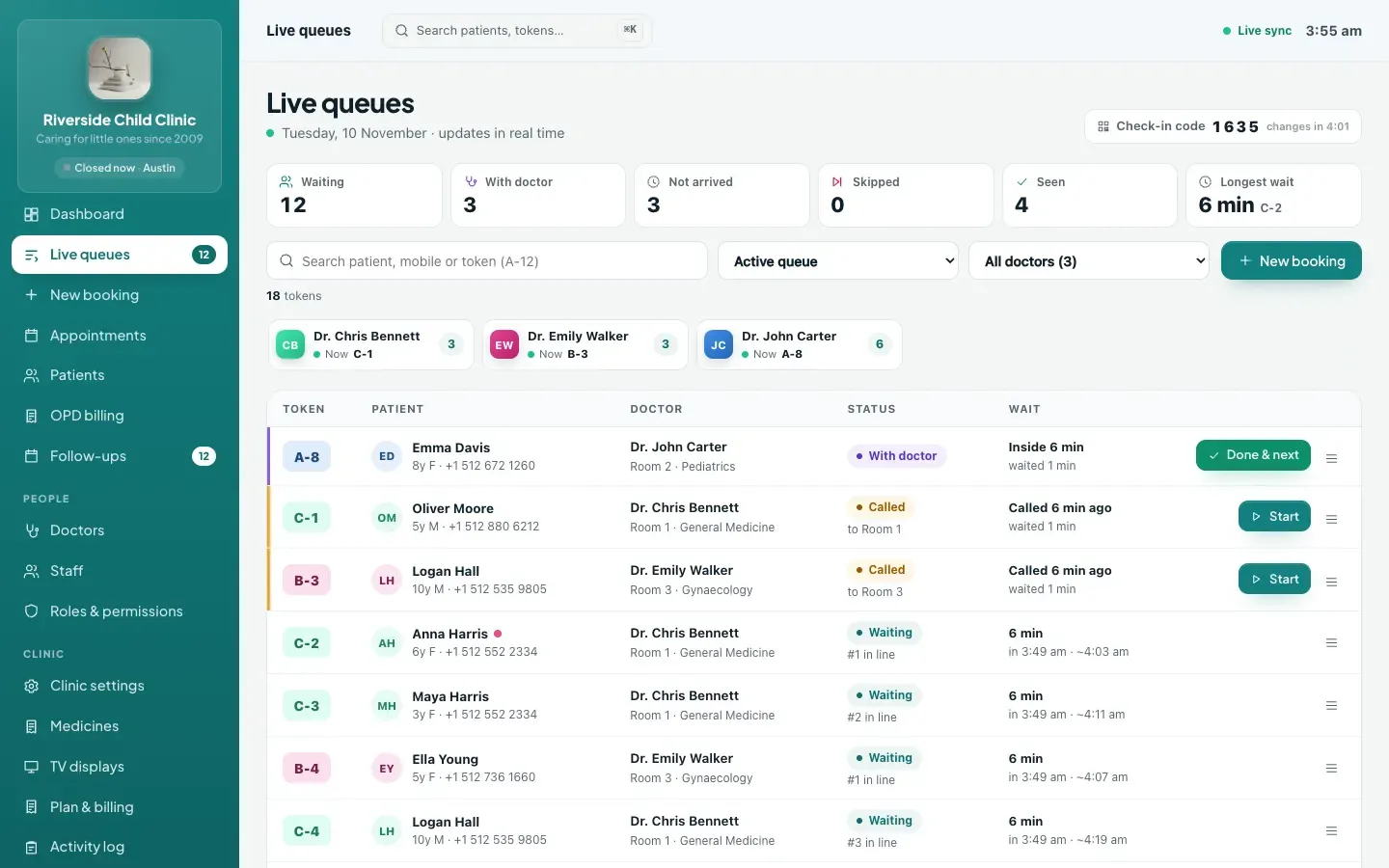
If you would like to see the patient view and reception view side by side, talk to our team and we will set up a side-by-side walkthrough.
Introducing tracking links at your clinic: a checklist
- Set a realistic average consultation time for every doctor before you start.
- Choose your "almost your turn" threshold, for example two or three patients ahead.
- Edit the clinic's WhatsApp message template so it sounds like your clinic and explains the link in one line.
- Train reception to send the link with every walk-in and phone token, not just some.
- Put up a small sign: "You can wait outside. Follow your token live on your phone."
- Pair the waiting-room TV so the "now serving" number matches what patients see on their phones.
- After two weeks, review average consultation times per doctor and adjust.
Tracking and the rest of the OPD
Tracking is most useful when it is connected to everything else. When a doctor pauses for a short break, the queue shows it. When the doctor completes the visit and finalises the prescription, the patient's tracking page shows a link to their private prescription. And because reception, the doctor console, the TV and the tracking page all read the same queue, nobody gives a patient a different answer.
Common mistakes with queue tracking
- Only giving links to online bookings. Walk-ins and phone bookings wait too. Send the link with every token, or the waiting room stays as crowded as before.
- Unrealistic average consultation times. If a doctor's average is set to five minutes but consultations take twelve, every estimate will be wrong and patients will stop trusting the page. Set it honestly and review it.
- Forgetting to pause for breaks. If the doctor steps out for twenty minutes and the queue is not paused, patients see a line that has stopped for no reason. A pause takes one tap.
- Skipping check-in. Tracking depends on an accurate queue. If patients are called without being checked in, the "people ahead" count becomes confusing.
- Promising exact times. Tell patients the time is an estimate and that the number of people ahead is the figure to watch. Honest expectations prevent complaints.
- Not explaining it. A one-line explanation in the WhatsApp message and a small sign in the waiting room are enough for most patients to understand what the link is for.
How ClinicWorkFlo helps
- A private tracking link for every token, whether it came from the desk, a phone call, online booking or QR self check-in.
- Live updates as the queue moves, with no refresh needed, on any phone browser and without an app or login.
- People ahead, now serving and an estimated time based on the doctor's average consultation time and session start.
- An "Almost your turn" threshold you control, and a vibration on supported phones when the patient is called while the page is open.
- Cancel and reschedule from the tracking page within your online booking rules; a rescheduled booking keeps the same link.
- A link to the private prescription once the consultation is finalised.
- Privacy by design: token numbers and counts only, a shortened name, no clinical details.
- One-click WhatsApp sharing from reception using your clinic's message template.
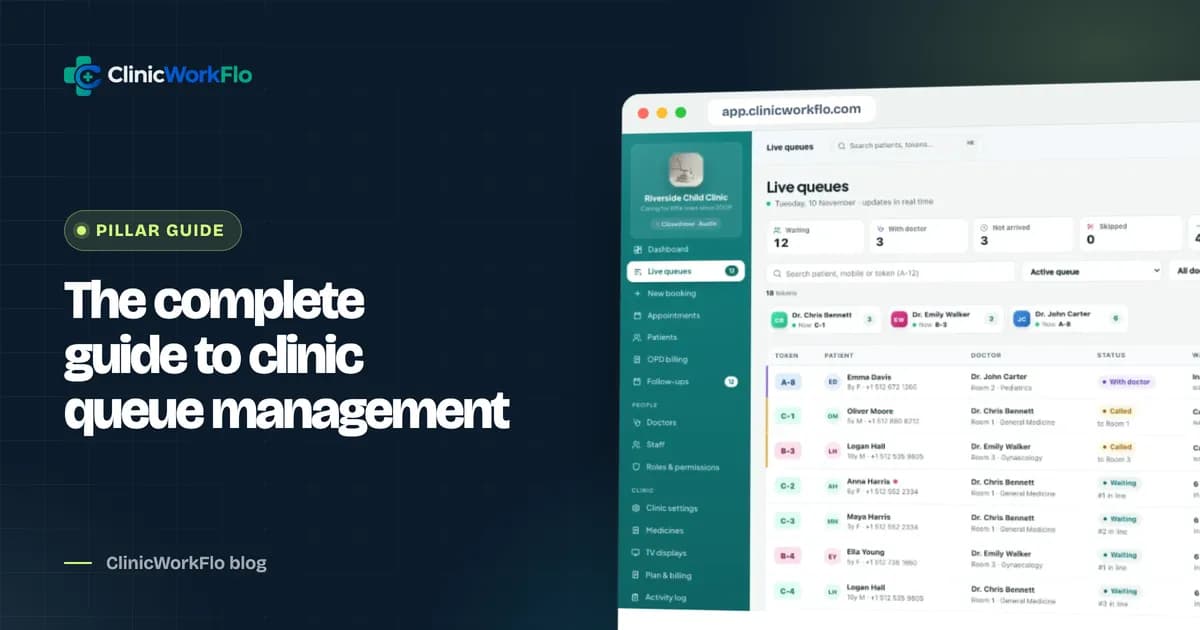
Tracking is one part of a wider system; see how it connects in our complete guide to clinic queue management, and pair it with a token display system for your waiting room.
Want your patients to stop crowding the desk? Book a 30-minute meeting and we will show you real-time tracking on your own clinic setup.
Frequently asked questions
How does real-time patient queue tracking work?
Each token gets a private web link. The page shows the patient's token, people ahead, the token now being served and an estimated time. It is connected to the clinic's live queue, so it updates on its own whenever reception or the doctor calls, completes or skips a patient.
Do patients need to download an app to track their token?
No. ClinicWorkFlo's tracking page opens in any mobile browser from the link. There is no app, account or password involved.
How accurate is the estimated waiting time?
The number of people ahead is exact. The estimated time multiplies the people ahead by the doctor's average consultation time, starting from the session start if OPD has not begun. Consultation lengths vary, so it is shown as an estimate, and clinics should keep each doctor's average time realistic.
Can other people see my details on the tracking page?
The page shows only a shortened version of the patient's own name and the queue as token numbers and counts. It never shows other patients' names or numbers, and it contains no clinical information.
Will the patient get a notification when it is their turn?
The tracking page shows "Almost your turn" and then a called status, and supported phones vibrate when the patient is called while the page is open. ClinicWorkFlo does not send automatic text or WhatsApp messages; staff share links and messages manually using click-to-chat.
Conclusion
Real-time patient queue tracking turns the most frequent question at the desk into a number on the patient's own phone. Keep the estimate honest, protect privacy, and make sure every token, not just online bookings, gets its link. The result is a calmer waiting room, a less interrupted reception and patients who feel respected.
To plan tracking for your clinic, contact us or schedule a 30-minute meeting with our team.